
Impact.com API
Table of contents
Building it yourself? Strackr already connects to the Impact.com API: transactions, clicks and payments in one dashboard, plus one API across 290+ networks.
About Impact.com
Impact.com, formerly known as Impact Radius, is an advanced partnership management platform that allows users to automate and scale partnerships like never before. The platform is designed to help you leverage the Partnership Economy and achieve maximum success with affiliates, influencers, or strategic business partners. Impact.com offers several products that can help you transform your business, including Activate (an influencer marketplace designed to manage and scale relationships), and Pressboard (a performance intelligence platform).
This global partnership management company was founded in 2008 and assists thousands of businesses across the world in building and managing better, income generating partnerships. Their technology is designed for brands, publishers, and agencies that want to build authentic networks and advertise their way to the top. As a well-known tool for affiliate marketers, Impact helps its users find campaigns based on their needs and requirements. They allow you to connect with brands in retail, travel, fitness, beauty, financial services, and many other categories.
Impact.com programs
Largest countriesshare of open programs
 USA7,33856%
 United Kingdom7536%
 Australia4523%
 Canada2542%
 Germany1941%
Largest categoriesshare of open programs
How to connect
Steps checked on May 29, 2026
Impact API Integration
Connecting the Impact.com API to Strackr is simple. You just need your Account SID and Auth Token.
Set Up Impact
-
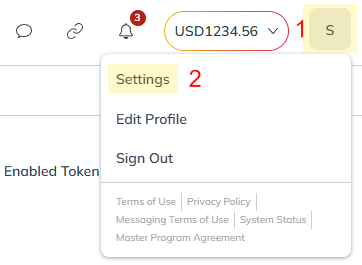
Log in to your Impact account. In the top right corner, click on the Account menu (1), then select Settings (2):
-
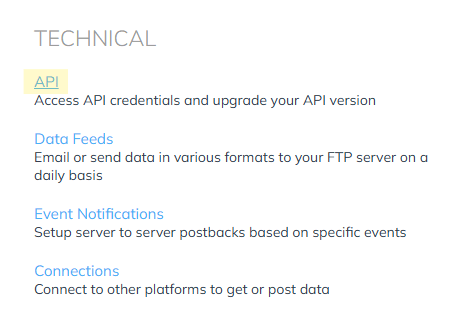
Scroll down to the Technical section and click on the API link:
-
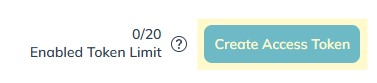
In the top right corner, click the Create Access Token button:
-
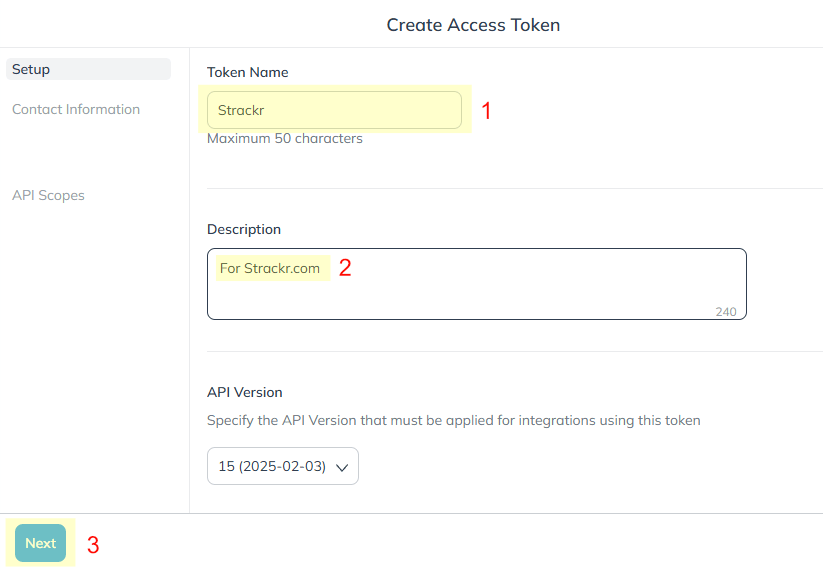
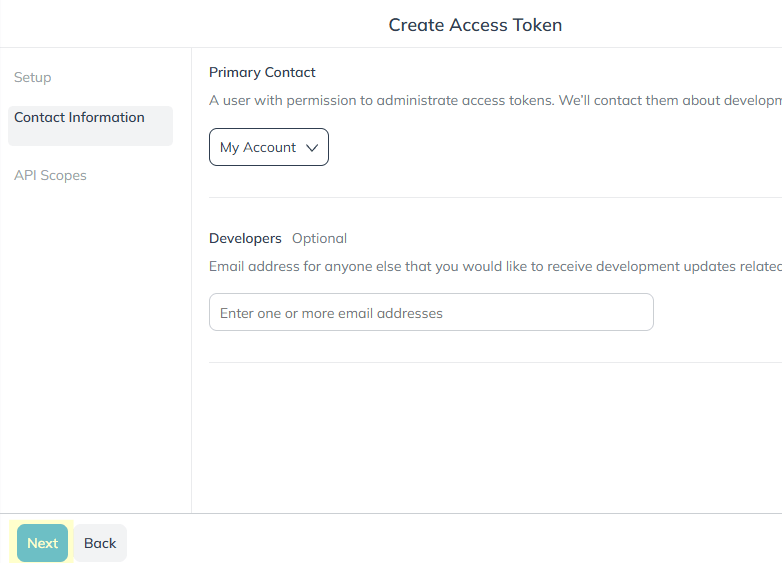
Follow the steps to create your token. Enter a Token Name (1) and a Description (2), then click Next (3). You do not need to select the API version:
Click Next again:
In the final step, you need to select the scopes. For each scope you enable (1), make sure to activate all the endpoints (2):
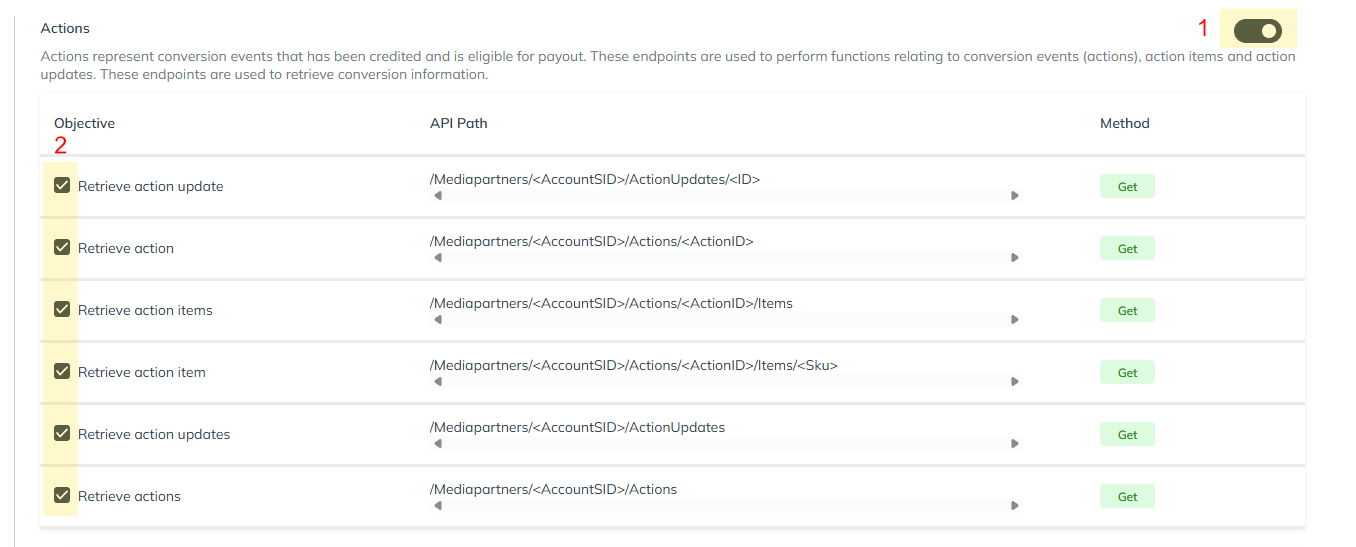
You can either enable all scopes or only the ones required for Strackr:
- Accounts
- Action Inquiries
- Actions
- Campaigns
- Catalogs
- Contracts
- Deals
- Reports
⚠️ For each scope, make sure all endpoints are enabled.
Finally, click Create to generate the token.
-
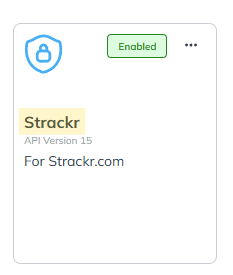
Once the token is created, click on its Name:
In the menu, select API Credentials:
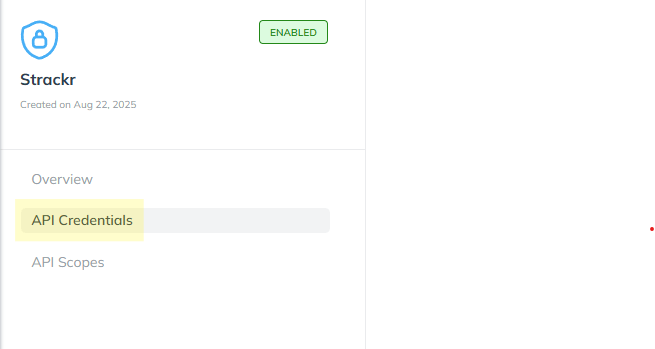
Et voilà! You can now copy your Account SID and Auth Token into Strackr:
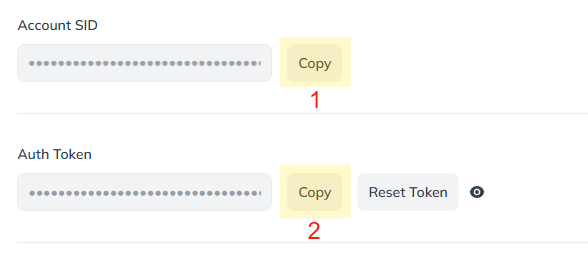
-
Select the timezone you would like to use on Strackr. Please note that the Impact UI displays data in UTC timezone, so statistics may differ between Strackr and Impact if you choose another timezone.
Please wait a few minutes for your affiliate data to appear on the dashboard.
Other networks in USA


What you get in Strackr
Affiliate data available from the Impact.com API once your account is connected.
- Transactions
- Clicks
- Payments
- Channels: not available on Impact.com
- Link Builder
- Revenues
- Revenues CPC: not available on Impact.com
- Program statuses
- Deals
- Product feeds: not available on Impact.com
- Transaction inquiries
- MCP server for your Impact.com data
Subids for Impact.com
subId1subId2subId3sharedId