
Awin API
Table of contents
Building it yourself? Strackr already connects to the Awin API: transactions and clicks in one dashboard, plus one API across 290+ networks.
About Awin
Awin is a global affiliate marketing platform that was formed in 2017 after companies Zanox and Affiliate Window decided to join forces and rebrand into one entity. As a result, Zanox became one of the fastest growing affiliate networks out there and it merged with the European Affilinet network that’s operating since 1997.
With 17 locations around the world, Awin currently has over 1,400 employees serving over 1 million contributing publishers in 2026. Their global presence extends to over 180 countries with over 30,000 advertisers on the platform. They offer affiliate networking programs in different niches including finance, retail, travel, and more.
Awin programs
Largest countriesshare of open programs
 USA10,81949%
 United Kingdom3,52916%
 Germany2,72712%
 France8034%
 Netherlands7493%
Largest categoriesshare of open programs
How to connect
Steps checked on October 8, 2026

Awin API integration
Strackr connects to Awin with your Publisher ID and your API token, the OAuth2 token of Awin's API Credentials page. Your Awin user needs Owner, Admin or Full Access rights on the publisher account.
Get your Publisher ID and API token
-
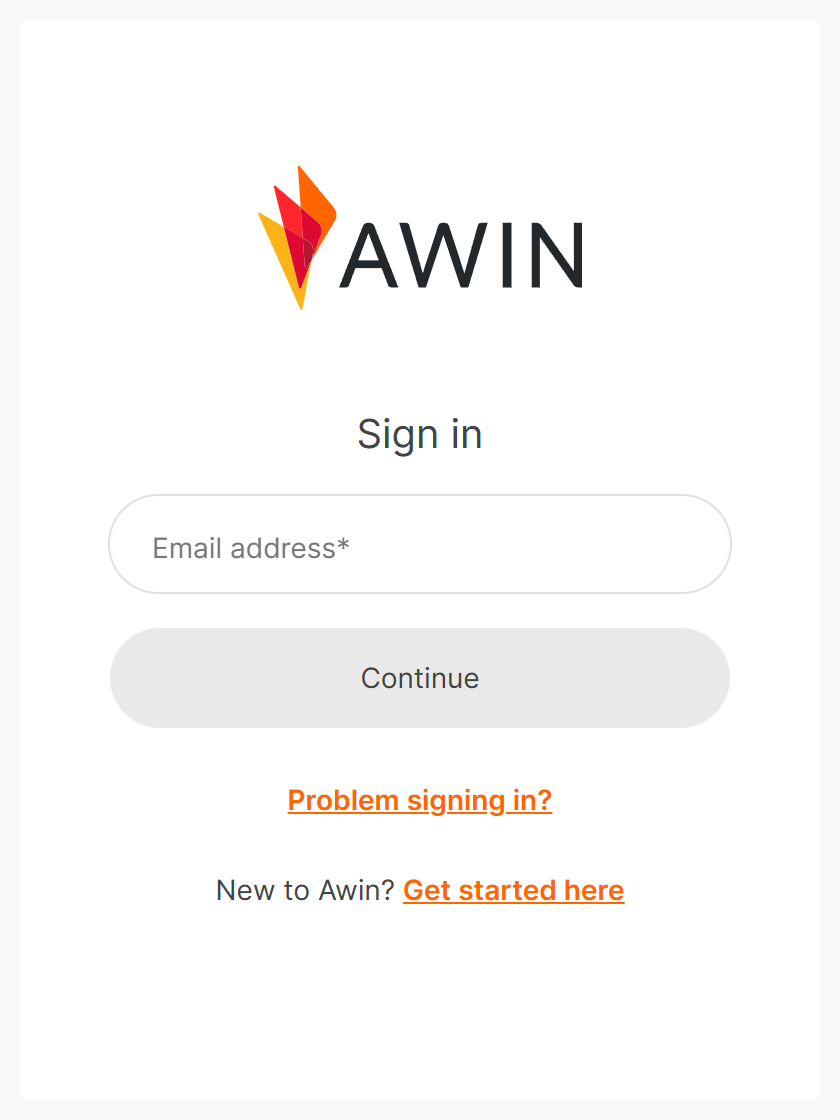
Sign in on ui.awin.com with your email address, then your password.
-
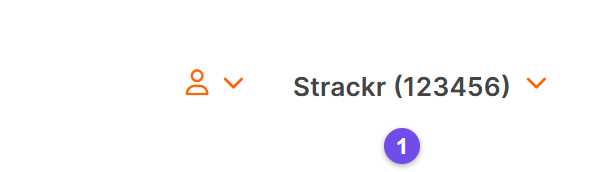
Your Publisher ID is the number in brackets next to your account name, at the top right (1).
-
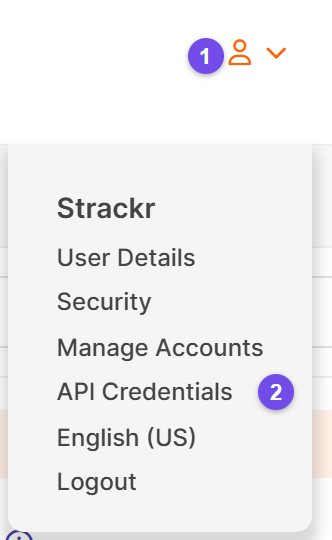
Open the user menu (1) and choose API Credentials (2).
-
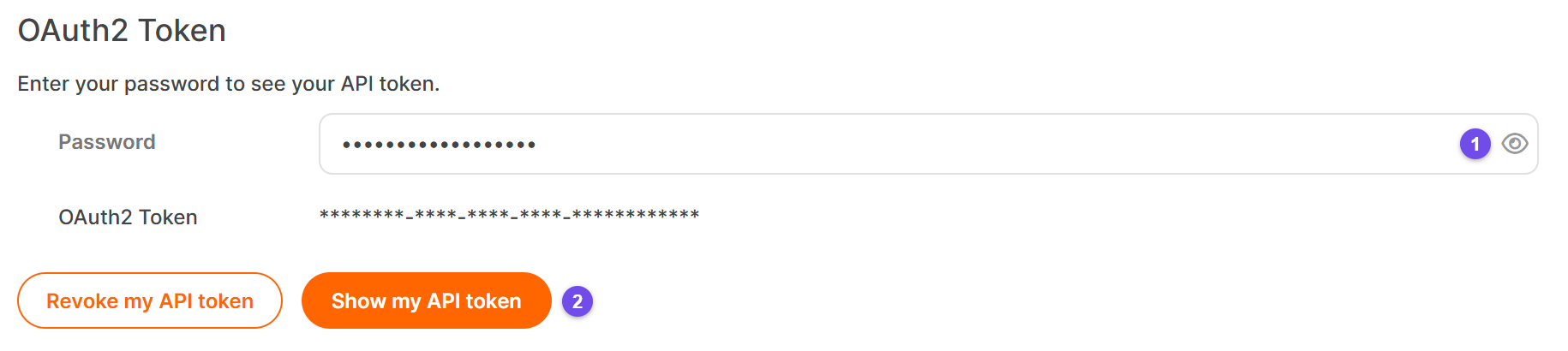
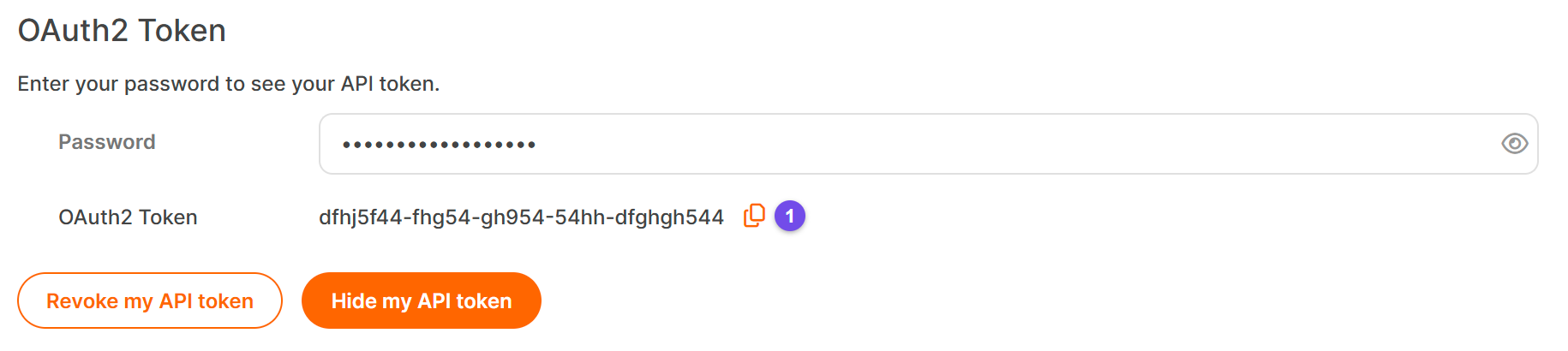
Enter your Awin password (1) and click Show my API token (2).
-
Copy the token with the copy icon (1).
Connect Awin to Strackr
-
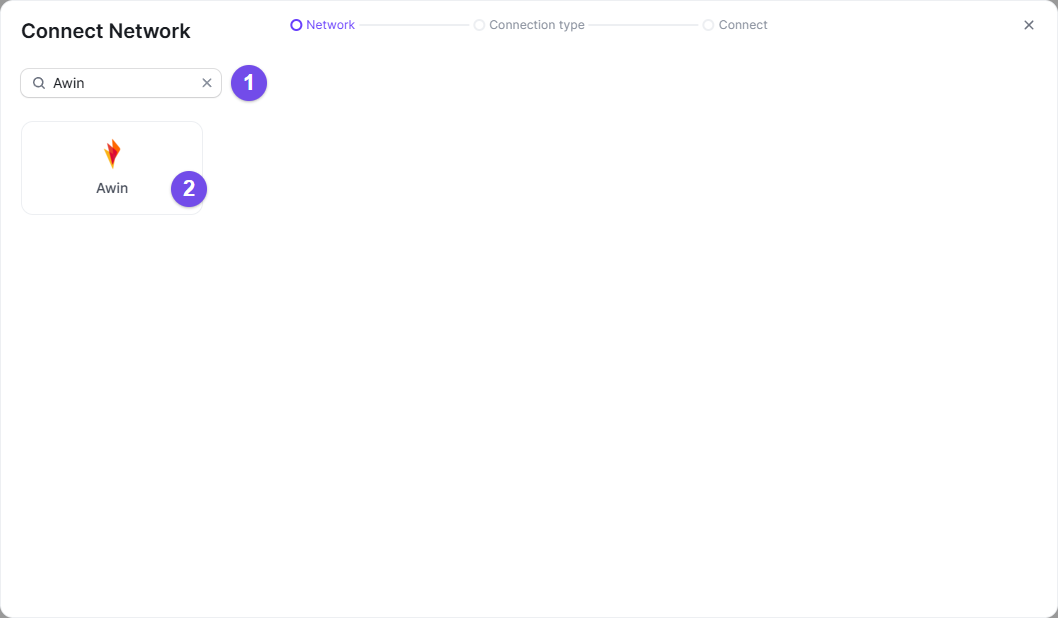
In Strackr, open Connections › Manage Connections, click Connect a network, search Awin (1) and select it (2).
-
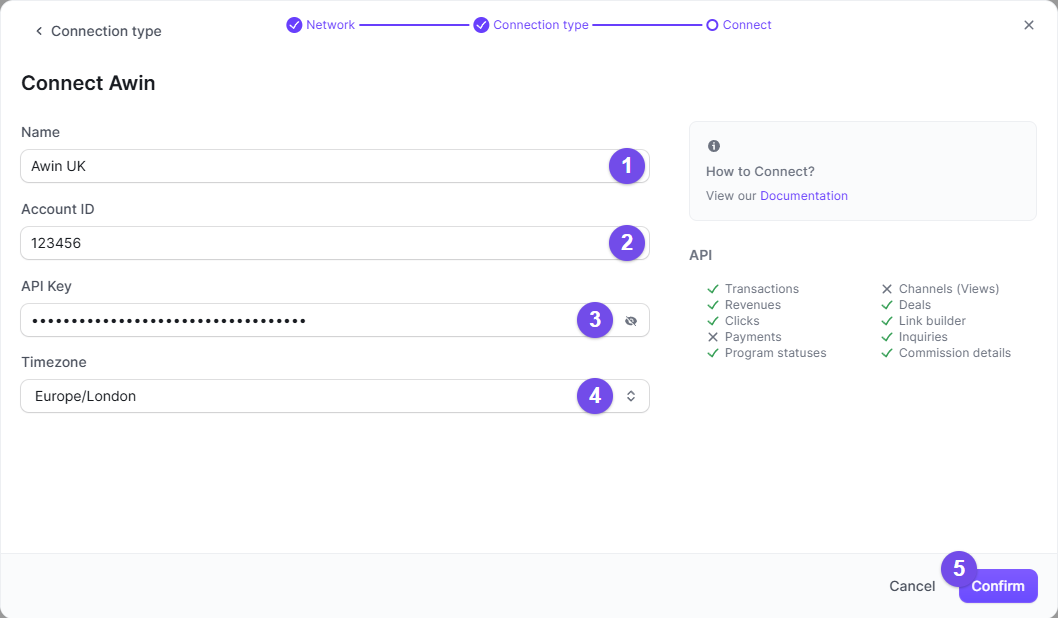
Give the connection a name (1), paste your Publisher ID in Account ID (2) and your API token in API Key (3), choose the Timezone of your Awin account (4), then Confirm (5).
You can now connect!
Separate Data by Website
If you have several websites, you can create multiple Promotional Spaces on Awin. However, unlike other networks, the Awin API does not allow us to pull data based on promotional spaces to be used as a Channel on Strackr.
The solution is to create separate publisher accounts within your main account.
-
Click on the menu icon on the top right (1), then select Manage Accounts:

-
On the new page, click on Dashboard:

-
You will then be able to create new Publisher accounts:

Once the publisher account is created, you can set up a new Awin connection by following this documentation again.
Recent changes
- Awin: Generate a New API Token (November 3, 2026)
Other networks in USA


What you get in Strackr
Affiliate data available from the Awin API once your account is connected.
- Transactions
- Clicks
- Payments: not available on Awin
- Channels: not available on Awin
- Link Builder
- Revenues
- Revenues CPC: not available on Awin
- Program statuses
- Deals
- Product feeds
- Transaction inquiries
- MCP server for your Awin data
Subids for Awin
clickrefclickref2clickref3clickref4clickref5clickref6