
TradeTracker API
Table of contents
Building it yourself? Strackr already connects to the TradeTracker API: transactions, clicks and payments in one dashboard, plus one API across 280+ networks.
About TradeTracker
TradeTracker is an affiliate marketing platform designed to help advertisers and publishers achieve maximum profit and results with campaigns in various categories. Their platform allows publishers to easily monetize their traffic and earn passive income by joining affiliate campaigns worldwide. At the same time, advertisers can connect to publishers to drive more sales and increase conversions. The platform offers a technical solution to affiliate marketing that’s fully flexible and transparent. This cloud-based performance marketing platform founded by Martin Stoehr back in 2011.
The company is based in the Netherlands but serves a worldwide market with nearly 100 employees. Throughout the years of following affiliate marketing trends and analysing factors that affect performance, the team at TradeTracker developed a platform that serves thousands of advertisers and publishers in an organized and transparent manner. They’re focused on delivering benefits to online businesses reliant on affiliate marketing networks and profit-driven campaigns. Moreover, their publishers are active in various niches, including tech, travel, ecommerce, and more.
TradeTracker programs
Largest countriesshare of open programs
 Netherlands1,22431%
 Spain3379%
 Italia2837%
 Germany2166%
 United Kingdom2095%
Largest categoriesshare of open programs
How to connect
Steps checked on October 8, 2026

TradeTracker API integration
Strackr connects to TradeTracker with the Customer ID and Passphrase of its Web Services. Each country of your TradeTracker account has its own pair: choose the country first, with the country button at the top right, and create one connection in Strackr per country.
Get your Customer ID and Passphrase
-
Sign in on affiliate.tradetracker.com.
-
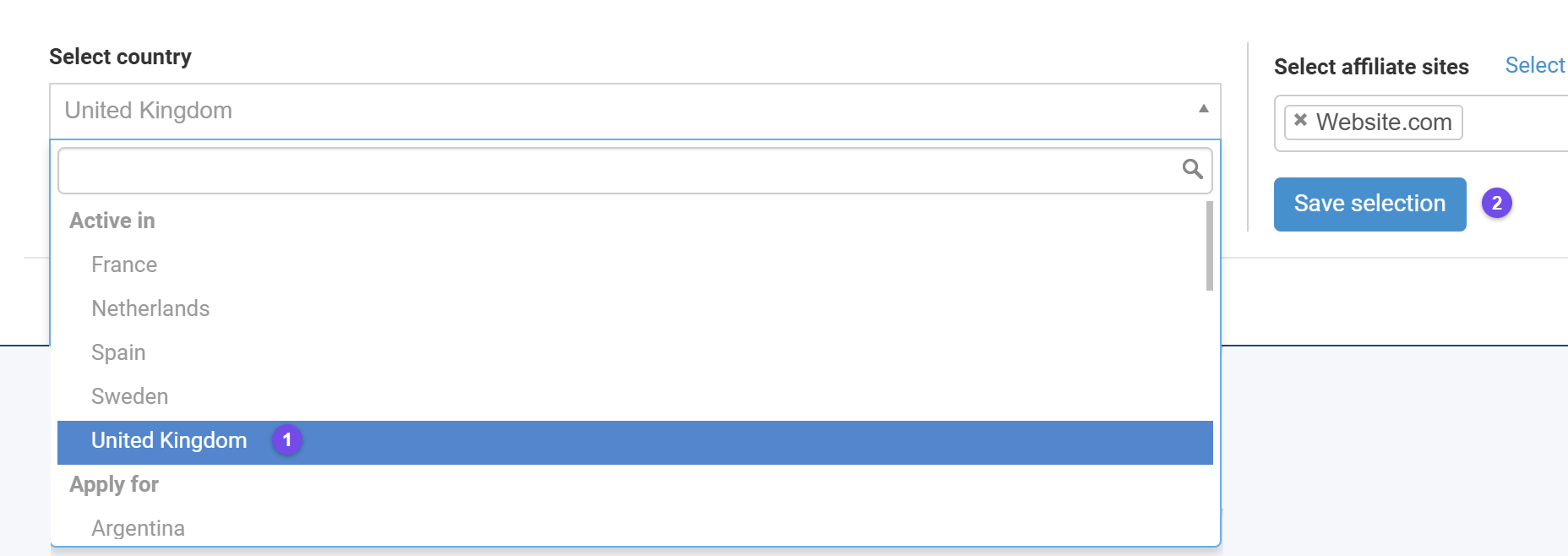
Click the country and site button at the top right of the page (1).

-
In the panel that opens, select the country to connect (1) and click Save selection (2).
-
Open Creatives (1), then Web Services (2).

-
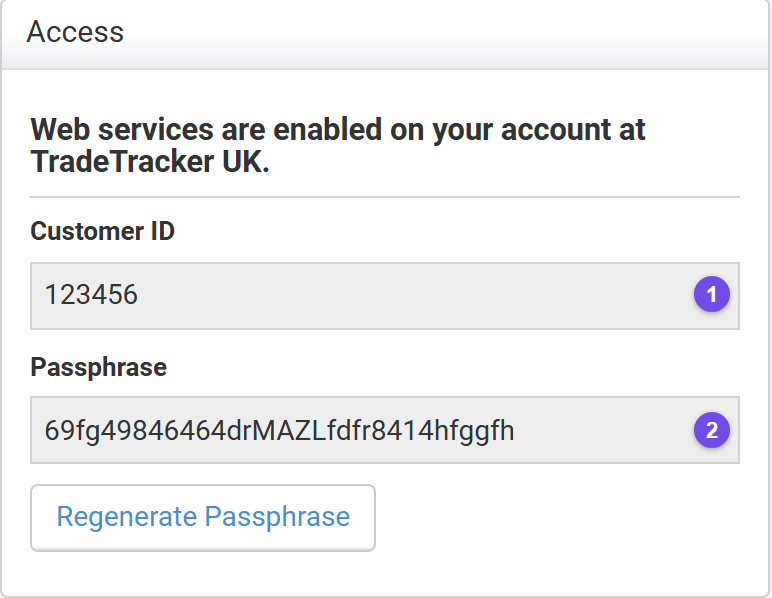
In the Access box, copy your Customer ID (1) and your Passphrase (2). The box must say that web services are enabled for that country.
Connect TradeTracker to Strackr
-
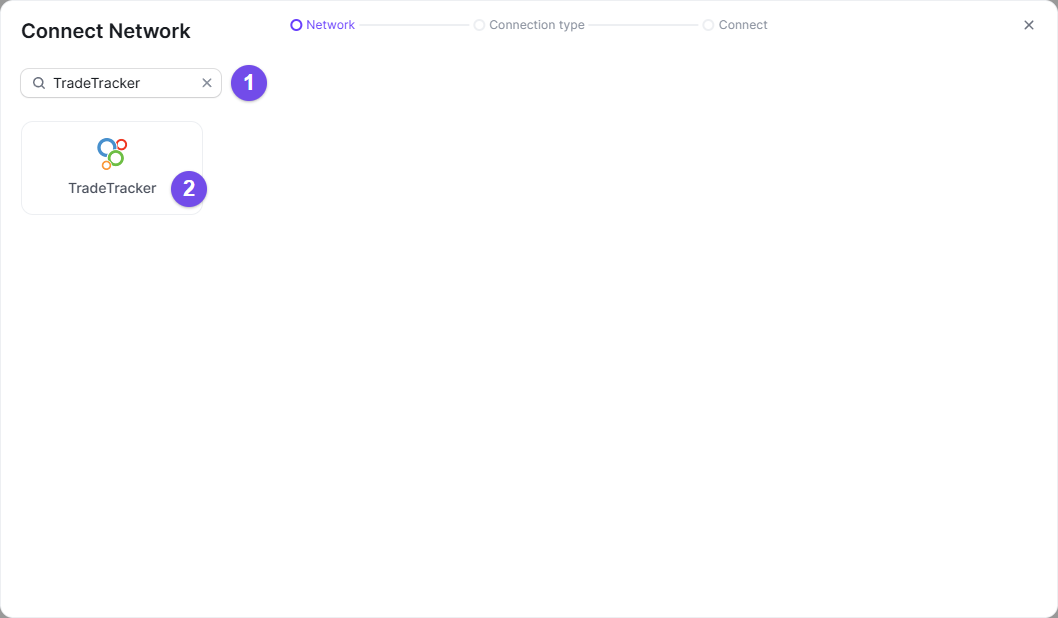
In Strackr, open Connections › Manage Connections, click Connect a network, search TradeTracker (1) and select it (2).
-
Give the connection a name (1), choose the Country you picked on TradeTracker (2), paste your Customer ID (3) and your Passphrase (4), then Confirm (5). The country must match: each country has its own Customer ID and Passphrase.
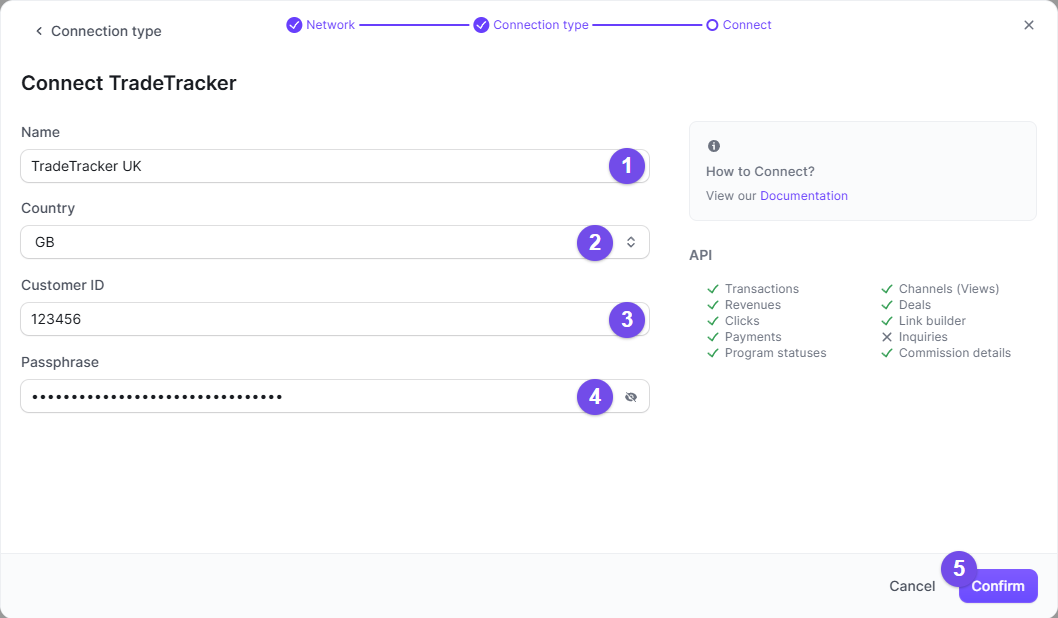
You can now connect! Repeat both parts for each country you work with on TradeTracker.
Other networks in Netherlands


What you get in Strackr
Affiliate data available from the TradeTracker API once your account is connected.
- Transactions
- Clicks
- Payments
- Channels
- Link Builder
- Revenues
- Revenues CPC: not available on TradeTracker
- Program statuses
- Deals
- Product feeds
- Transaction inquiries: not available on TradeTracker
Subid for TradeTracker
r