
mrge
Table of contents
Why connect mrge to Strackr


Connecting mrge to Strackr takes just a few minutes, and lets you to collect your transactions into one dashboard. You can connect your cashback application to our API to retrieve transactions.
mrge API Integration
To connect your mrge account to Strackr, you will need the email address and the password of your mrge Publisher account, and the Publisher Site ID of the site to track. A separate connection is required for each publisher site.
Set Up mrge
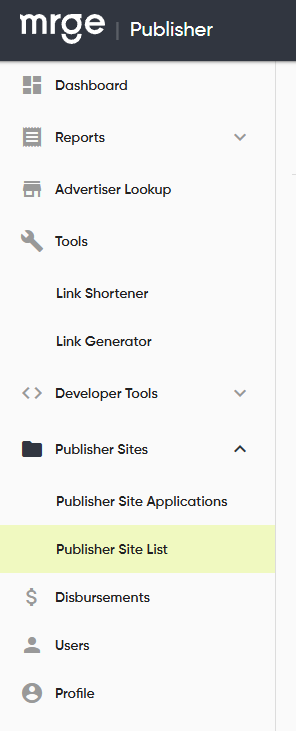
1. Log in to your mrge Publisher dashboard. In the left menu, open Publisher Sites > Publisher Site List:
2. In the list, click the copy icon in the Publisher Site ID column of the site you want to connect:

Paste the Publisher Site ID into the form, together with the email address and the password you use to log in to mrge Publisher, and connect the API to Strackr!
About mrge
Affiliate data available from the mrge API that you can connect to Strackr.
Standard connection
- Transactions
- Clicks
- Payments
- Channels
- Link Builder
- Revenues
- Revenues CPC
- Program statuses
- Deals
- Transaction inquiries