Inquiry Manager

Inquiry Manager

Recover the commissions affiliate networks missed

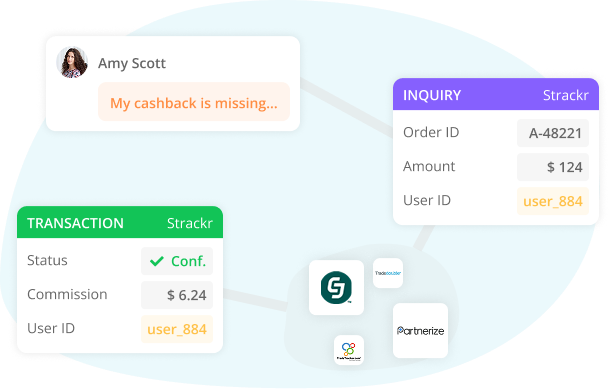
Every affiliate network has its own way to claim a commission for a sale it missed. The Inquiry Manager gives you one form, one queue, automatic uploads, and the money back in your dashboard.
Try Strackr for free Launch live demo

Inquiry Manager

Claiming a missed commission, before and after

Inquiries, also known as claims, exist on every network. No two networks handle them the same way.
Without Strackr

Inquiries without Strackr

A different process for every network

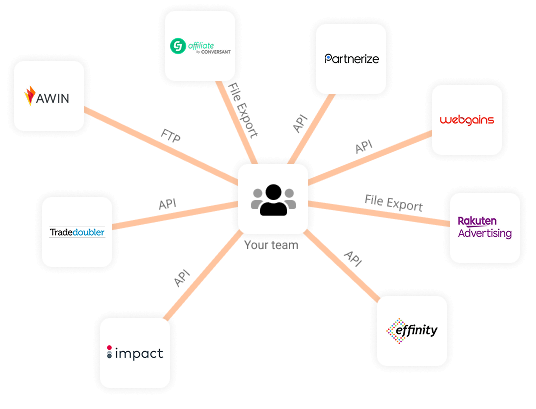
  • A different inquiry process per network: an API, a file on their FTP server, or a CSV built by hand and uploaded on their dashboard.
  • Different required fields per network, learned by trial and error.
  • No record of what was filed, what was accepted and what is still open.
  • No link between an inquiry and the user who complained.
  • Someone's afternoon, every week.

The result: commissions lost, and a support team chasing networks by email.
With Strackr

Inquiries with Strackr

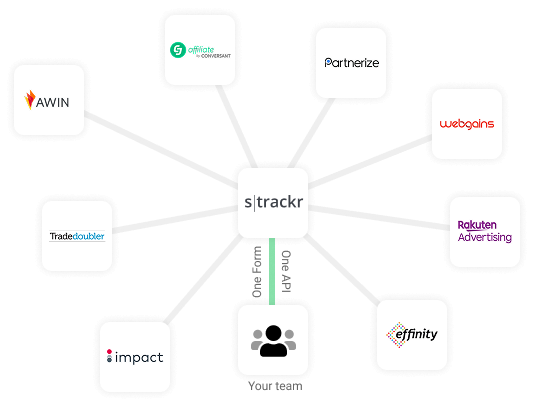
One form, one queue, one upload

  • One form that adapts to the network you pick.
  • Required fields declared by the network and enforced in the form.
  • One queue, three statuses, and the advertiser's own decline reason.
  • Your user ID survives the round trip onto the confirmed transaction.
  • Automatic upload every night.

The money comes back with your user ID on it.

Four stages

From the inquiry you file to the commission in your dashboard.

Stage 1

One form that adapts to the network

Pick the connection and the form shows only what that network accepts, with its required fields marked. File the inquiry from the form, or straight from your app through the API.
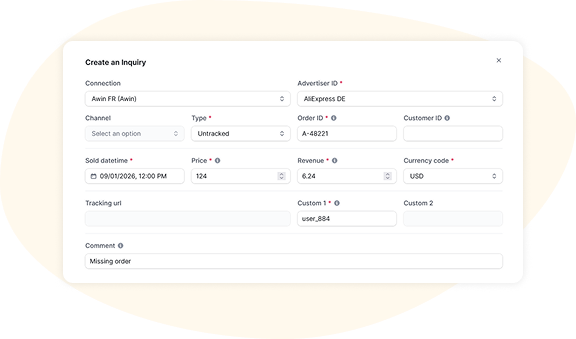
Create an inquiry

Stage 2

Uploads, by hand or every night

Nothing leaves Strackr until an upload runs. Send a batch yourself, or let each connection upload on its own schedule, by API, by FTP, or as a file ready to upload on the network's dashboard.
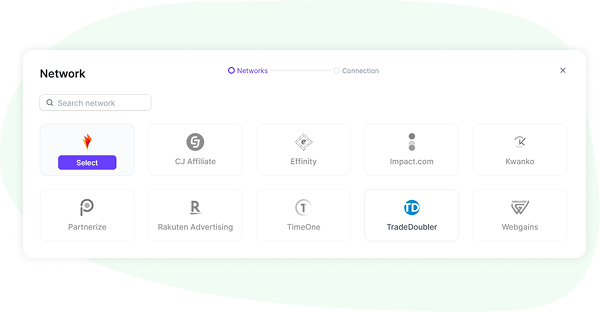
Upload inquiries

Stage 3

The network's answer, with the reason

Every inquiry comes back with its status, pending, confirmed or declined, and the advertiser's reason when it is declined.
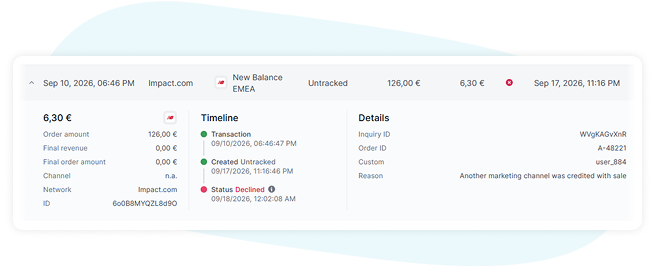
Transaction inquiries

Stage 4

The commission, in your dashboard

Once confirmed, the network creates a real transaction. It appears in the transaction report of the Affiliate Dashboard with the Custom ID you set on the inquiry, so you know exactly which user to credit.

Works with your networks

12 networks support inquiries. Coverage is per connection: the app shows which of yours do.

Several networks need a switch flipped on their side first, or extra credentials such as Tradedoubler's UTS token or Impact's API keys. A dedicated documentation walks through each one. Not on this list? See every network Strackr connects to.

Frequently asked questions

Does it work with my networks?

12 networks support inquiries today, and coverage is per connection: the app tells you exactly which of yours support it. Several need a switch flipped on the network's side first.

Will my support team need training?

The form only ever shows the fields your chosen network accepts and marks the ones it requires. There is nothing to memorise, and the form keeps the connection you picked, so an agent can file one inquiry after another.

We already have a form for missing sales in our app.

Point it at the API. Inquiries created there upload automatically overnight, and the confirmed transactions come back with your Custom ID. This needs the Affiliate API option.

Inquiries or claims, which is it?

Networks say claim, transaction query or order inquiry, each in its own words. Strackr says inquiry for what you file, and transaction inquiry for the network's answer: two objects, two stages.

Do I need the Affiliate Dashboard?

No. The Inquiry Manager is an independent module with its own subscription: it does not need the Affiliate Dashboard.