AI assistants

AI assistants

Ask Claude or ChatGPT about your affiliate revenue

Ask a question in plain language and get the answer from your own data, without opening the dashboard or building a report. Strackr comes with an MCP server, so it works with Claude, ChatGPT, Claude Code and any assistant that supports the standard.
Try Strackr for free Launch live demo

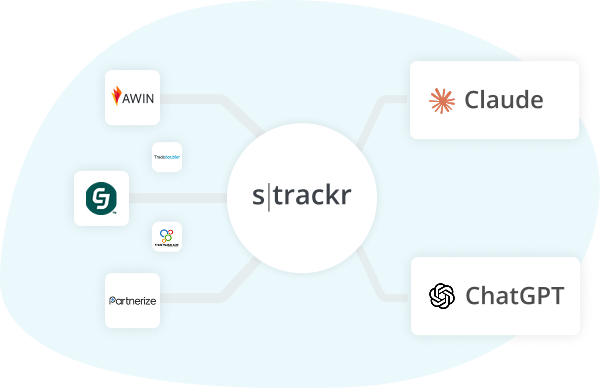
Claude and ChatGPT connected to Strackr

What you can ask

Real questions that cross revenues, advertisers, transactions and commission terms. Every answer comes from your own Strackr data, as it stands right now.

Advertisers

Know which advertisers grew and which dropped, without opening a report.

The assistant reads your revenue per advertiser for the period you name, ranks it and compares it with the previous one. You get the winners, the losers and the size of each move in one answer.

Claude
Which advertisers made me the most money this month, and which ones dropped?
Used Strackr · Checked revenues and advertisers

Three advertisers made 60% of your revenue this month. Two of last month's top ten dropped by more than a third.

AdvertiserRevenueChange
Northwind Outdoor€4,500+18%
Bluebird Books€2,100+5%
Pixel Audio€900-40%

Revenue by network

See how each network moved this week, in one question.

Ask for a comparison and the assistant pulls revenue by network for both periods and shows what changed. Add clicks or conversion rate to the same question when you want the why.

ChatGPT
How did revenue move by network this week compared to last?
Used Strackr · Checked revenues by network

Revenue is up 10% week on week. One network carried the growth and one slipped.

  • Awin: €1,800, up 25%
  • CJ: €900, down 8%
  • Rakuten: €600, flat

Commission rates

Get the commission terms of any advertiser, including the tiers and the end date.

The assistant reads the commission details Strackr collects from the networks: base rate, tiers, conditions and validity. Ask how far you are from the next tier and it does the maths from your sales.

Claude
What commission rate does Maple & Co pay me, and when does it change?
Used Strackr · Checked commission details

Maple & Co pays you 8% on sales, with a tier at 10% above €5,000 of sales a month. The current terms run until 31 December.

8%Base rate
10%Above €5,000 a month
31 DecValid until

Transactions

Find the transactions still pending and what they are worth.

The assistant lists the transactions by status, period and advertiser, and totals the commission at stake. Follow up by age or by advertiser to spot the ones worth chasing.

ChatGPT
Show me the transactions still pending from September and what they are worth.
Used Strackr · Checked transactions

There are 120 pending transactions from September, worth €1,800 in commission. The three oldest:

  1. Casa Verde Home, 2 September, €38
  2. Casa Verde Home, 4 September, €22
  3. Maple & Co, 6 September, €55

Scheduled reports

Receive last week's revenue every Monday, without configuring anything in Strackr.

Claude and ChatGPT can run a question on a schedule. The task lives in your assistant, and each run reads fresh figures from Strackr, so the report is never stale.

Claude
Every Monday at 8, send me last week's revenue by network.
Used Strackr · Checked revenues by network

Done. I will ask this question every Monday at 8:00 and send you the result.

Scheduled taskActive
Every Monday at 08:00
Last week's revenue by network

Link builder

Create a tracking link from a product page, with the subid you want.

The assistant calls the Strackr link builder with your existing connection and returns the tracking link. It is the one tool that does more than read a report, and it still changes nothing at the network.

ChatGPT
Build me a tracking link for this product page, with the subid newsletter-sept.
Used Strackr · Created a link with the link builder

Here is your tracking link for the Trailhead Gear product page, through your existing connection, with the subid newsletter-sept.

https://track.example-network.com/click?id=demo-1234&subid=newsletter-sept&url=trailheadgear.example/tents

How it works

Three steps, whichever assistant you use.

Pick your client.

01

Add the server to your client

  1. Open Settings, then Connectors.
  2. Choose Add custom connector and paste the URL.
https://mcp.strackr.com/mcp

02

Approve the connection in Strackr

Your browser opens Strackr. You sign in with your own login, including two-factor authentication if you use it, and the screen says what the assistant can read before you approve.

03

Ask your first question

Open your assistant with this question. It connects to Strackr and answers from your data.

Connect to Strackr. Which advertisers made me the most money this month, and which ones dropped?Ask in Claude

01

Add the server to your client

  1. Open Settings, then Connectors.
  2. Add the URL as a new connector.
https://mcp.strackr.com/mcp

02

Approve the connection in Strackr

Your browser opens Strackr. You sign in with your own login, including two-factor authentication if you use it, and the screen says what the assistant can read before you approve.

03

Ask your first question

Open your assistant with this question. It connects to Strackr and answers from your data.

Connect to Strackr. Which advertisers made me the most money this month, and which ones dropped?Ask in ChatGPT

01

Create a token in Strackr

You need the Admin role. Create it from Settings, Integrations: it is shown once, belongs to you and reads data at your own permission level. Other roles use the browser sign-in.

02

Add the server to your client

Run this once, with your token in place of the placeholder.

claude mcp add --transport http strackr https://mcp.strackr.com/mcp --header "Authorization: Bearer YOUR_TOKEN"

03

Ask your first question

Paste this into your assistant. It connects to Strackr and answers from your data.

Connect to Strackr. Which advertisers made me the most money this month, and which ones dropped?

01

Create a token in Strackr

You need the Admin role. Create it from Settings, Integrations: it is shown once, belongs to you and reads data at your own permission level. Other roles use the browser sign-in.

02

Add the server to your client

Put the token in the STRACKR_MCP_TOKEN variable of your shell, then run this once. Only the variable name is saved.

codex mcp add strackr --url https://mcp.strackr.com/mcp --bearer-token-env-var STRACKR_MCP_TOKEN

03

Ask your first question

Paste this into your assistant. It connects to Strackr and answers from your data.

Connect to Strackr. Which advertisers made me the most money this month, and which ones dropped?

01

Add the server to your client

Any client that supports remote MCP servers works. Use the URL with OAuth, or, if you are an administrator, your own token as a bearer header.

https://mcp.strackr.com/mcp

02

Approve the connection in Strackr

If your client signs in through the browser, Strackr asks you to approve the connection. If it uses a token, you need the Admin role and create yours from Settings, Integrations.

03

Ask your first question

Paste this into your assistant. It connects to Strackr and answers from your data.

Connect to Strackr. Which advertisers made me the most money this month, and which ones dropped?

Frequently asked questions

What is MCP?

The Model Context Protocol is the open standard assistants use to read data from a tool. Strackr publishes a server for it, so your assistant can read your affiliate data the way it reads a calendar or a document.

Which assistants work?

Claude.ai, ChatGPT and Claude Code are tested. Any client that supports remote MCP servers over OAuth or a token should work. Tell us which one you use.

Can the assistant change anything in my account?

No. Every tool is read-only by design, not by policy: an assistant can never change anything in your account or at a network, and the consent screen says so before you approve.

Who can connect?

Any member of an account with the Affiliate API module, except the Read-only and Tools only roles, under their own login. A connection sees exactly what its owner sees, the same views and the same restrictions, so connecting never widens access. Administrators see every connection with the user who created it and can revoke any of them. It takes effect on the assistant's next request.

Can I schedule reports?

Yes, in the assistant: a scheduled task in ChatGPT or Claude asks the same question every morning. Nothing is configured in Strackr, and each run is another read.

Is it included in my plan?

The AI connector comes with the Affiliate API module, the one that also gives you the REST API. Any account can add it from the subscription page. See pricing.